Streaming Guides
How to add heart rate to your speedrun
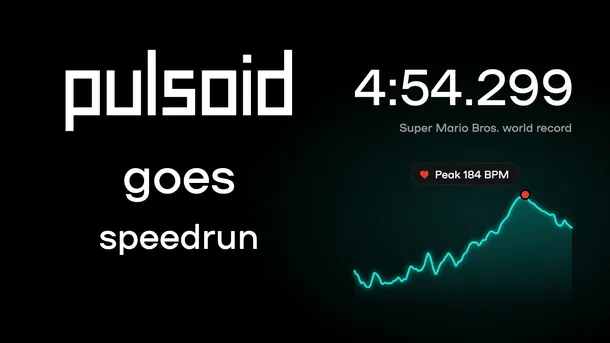
Learn how to show your heart rate next to your timer in OBS with Pulsoid, share a heart rate report of your run, and see famous speedruns with heart rate on screen.
Learn how to show your heart rate next to your timer in OBS with Pulsoid, share a heart rate report of your run, and see famous speedruns with heart rate on screen.
Connect Google Fitbit Air to Pulsoid on iPhone, Android, or Windows. Show your live heart rate on Twitch, YouTube, Kick, OBS, VRChat, or in Geometry Dash.
VRChat向けPulsoid OSCの設定ガイド。アバターパラメータやチャットボックスに心拍数を連動・表示させる手順をわかりやすく解説します。
Learn how to set up Pulsoid OSC for VRChat. Follow this step-by-step guide to configure your heart rate display for avatars and chatbox.
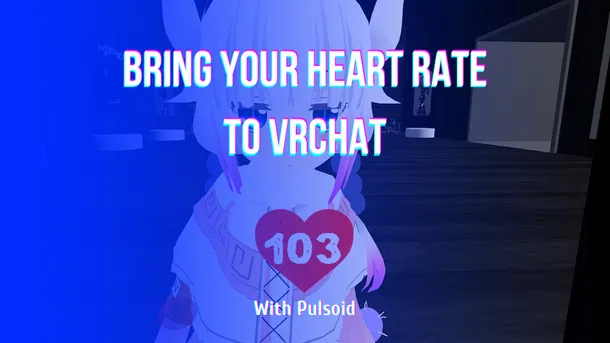
Pulsoid OSC、VRCOSC、MagicChatBox、TTS Voice Wizardなどのツールを使って、VRChatで心拍数をリアルタイムに表示する方法を解説します。
Subnautica 2 launches in Early Access on May 14, and if you plan to stream it, adding a heart rate widget can make your content even more engaging. While Subnautica isn’t a traditional horror game, its deep-sea exploration and unexpected encounters can still be terrifying. The Subnautica heart rate widget lets viewers see your real-time reactions during intense moments while matching the game’s style perfectly. How to add the Subnautica heart rate widget on stream: Make sure
Learn how to show your live heart rate on your Discord profile. Use Pulsoid’s Discord BPM Activity to display real-time heart rate, GIFs, and custom links.
Want to use your AirPods Pro 3 as a heart rate monitor for streaming? With Pulsoid, you can track your BPM in real time and show it on Twitch, YouTube, Kick, or any other streaming platform. This guide shows how to connect AirPods Pro 3 to Pulsoid and display your heart rate on stream in just a few minutes. How to Connect AirPods Pro 3 to Pulsoid Install the free Pulsoid iOS app Create a Pulsoid account Open the app and select AirPods Pro 3 from the Devices list Tap “Start” A
The ARC Raiders heart rate widget lets you show your real-time reactions on stream. The surface is full of danger, and every run or sudden fight can make your pulse jump. Now your viewers can see it happen live. This BPM widget, inspired by the game’s sci-fi style, adds extra tension and makes your Twitch stream more immersive. You can customize the widget to match your style: Set BPM-based color ranges for real-time heart rate changes Change the background color Adjust the
Pulsoid Cloud is a feature that lets you sync your heart rate between Pulsoid apps on different devices using the cloud. It’s available in the Pulsoid Android and Windows apps. This is especially useful if you use smartwatches like Apple Watch, Wear OS, or Fitbit, as it helps you unlock all Pulsoid mobile app features, including the Floating Window. Pulsoid Cloud is also helpful if your device only works with the mobile app, but you still want to see your heart rate in the de
Want to show your heart rate from your PC? The Pulsoid Desktop app for Windows allows you to stream your real-time heart rate directly to Twitch or display it on VRChat. The Windows app offers exclusive features not available on mobile, including: Discord BPM Activity: Display your live heart rate as your Discord status. VRChat OSC Integration: Send heart rate data directly to your VRChat avatar or in the chatbox. Requirements: Windows OS Built-in Bluetooth or a USB Blue
What if your panic could make a game even scarier? In Pilgrim of Darkness , a new co-op horror game on Steam, your real heart rate actually affects what happens on screen through biofeedback . Connect Pulsoid and watch your fear come to life. The higher your stress, the more dangerous the game becomes. Stay calm, and you might have a better chance of surviving. In co-op sessions with up to four players, one person panicking can make things harder for the whole team, creating
Heart rate overlay on the Geometry Dash mobile game Want to show your heart rate while recording gameplay on your phone? Now you can. In the latest Pulsoid Android app update, you can display your heart rate as a floating overlay on top of other apps. Right now, this feature is only available on Android . It is not supported in the Pulsoid iOS app. Note: Wear OS or Fitbit users need Pulsoid Cloud for this feature to work. Read this guide to learn more. How to Turn On the He
Sharing your Heart Rate widget URL with friends isn’t very convenient when it’s just a long string of letters and numbers. Our Discord community asked for personalized URLs, so we added them! Now you can create a custom URL for any Pulsoid widget. It can be anything—from your username to a fun message for your friends—up to 50 characters. How to Set a Custom URL for Your Heart Rate Widget Before you start, make sure you have a Pulsoid account and use a compatible heart rate
Twitch Stream Markers help you quickly find intense moments in your VODs and create Highlights. Pulsoid makes this even better by automating the process. With Pulsoid Stream Markers, a timestamp is automatically added when your heart rate goes above a set BPM. So while you're live, you can focus on what matters most: your stream.How to set up Stream MarkersBefore you start, make sure that you have set everything up and connected your Twitch account.1. Open the Clips & Markers
発光心拍数ギミックは、VRChat アバター上でリアルタイムの心拍数を表示できるアドオンです。明るく光るエフェクト、フルカラーの調整、BPMレンジ設定、そしてオプションで心音(鼓動音)にも対応しています。VRCFury および Modular Avatar に対応しており、表示の自動非表示や手動トグル切り替えも可能です。シンプルな設定で導入でき、カスタマイズ性の高い心拍表示ギミックとなっています。セットアップも非常に簡単です。まずは、本ギミックの動作に必要なものをご確認ください。 必要なもの Unity 2022 VRCFury または Modular Avatar を追加した Unity プロジェクト Pulsoid アカウントの作成および連携設定 未設定の場合は、こちらのガイドの最初の3ステップをご確認ください 心拍数パラメータを送信できる OSC ツール 注意 Quest および Android アバターでは、プレハブは動作しません。 PC向けアバターをベースに、Quest または Android 対応版を作成する場合は、VRCFury ま
The GDPulse mod lets you show your heart rate directly in Geometry Dash by connecting Pulsoid to your heart rate monitor or smartwatch. Your BPM appears in real time during gameplay, so you can see how calm or stressed you are during tough levels and fast sections. It’s also great for streams and videos since it adds a more intense vibe. With features like losing the level when your BPM reaches a set number, the mod adds a fun and unique challenge to the game. Who is this mod
The Glowy Heart Rate prefab is a VRChat add-on that lets you show your real-time pulse directly on your avatar. It includes a bright glow effect, full color controls, BPM range settings, and an optional heartbeat sound. The prefab works with VRCFury and Modular Avatar, and you can set it to auto-hide or toggle the display whenever you need. This makes it a simple and customizable way to add live heart rate visuals to your VRChat world or avatar. Oh, and it's super easy to set
We recently released the Glowy Heart Rate Prefab, and to work correctly, it requires receiving specific parameters from OSC apps. HR (Int): required to display your heart rate. isHRBeat (Bool): required if you want the prefab to stop showing on your avatar when heart rate data isn’t being received for some time. The easiest way to get these parameters working is Pulsoid OSC, a feature built directly into Pulsoid Desktop. It sends both parameters automatically, with no separat
The Geometry Dash Heart Rate Widget is a live heart rate overlay that lets you display your BPM while streaming on Twitch, YouTube, or Kick. Inspired by the game's iconic style, the widget works with OBS, Streamlabs, XSplit, and other streaming software, making your gameplay more interactive for viewers. Customizing Your BPM Overlay for Geometry Dash The Pulsoid widget includes several customization features that let you personalize the heart rate overlay to match your strea
If you’ve recently experienced issues with the Beat Saber Glow widget, here’s how to get it working again. The problem can be solved by refreshing the widget without using your browser’s cache and clearing the OBS browser source cache. Step 1: Reload the widget page without cache Go to your Pulsoid widget configuration. Find the Beat Saber Glow widget you’re currently using on your stream. Click "Copy" to copy its URL. Open that link in a new browser tab. Press CTRL + F5 (Win